Homely
End-to-end application to help you design a place that you can call home
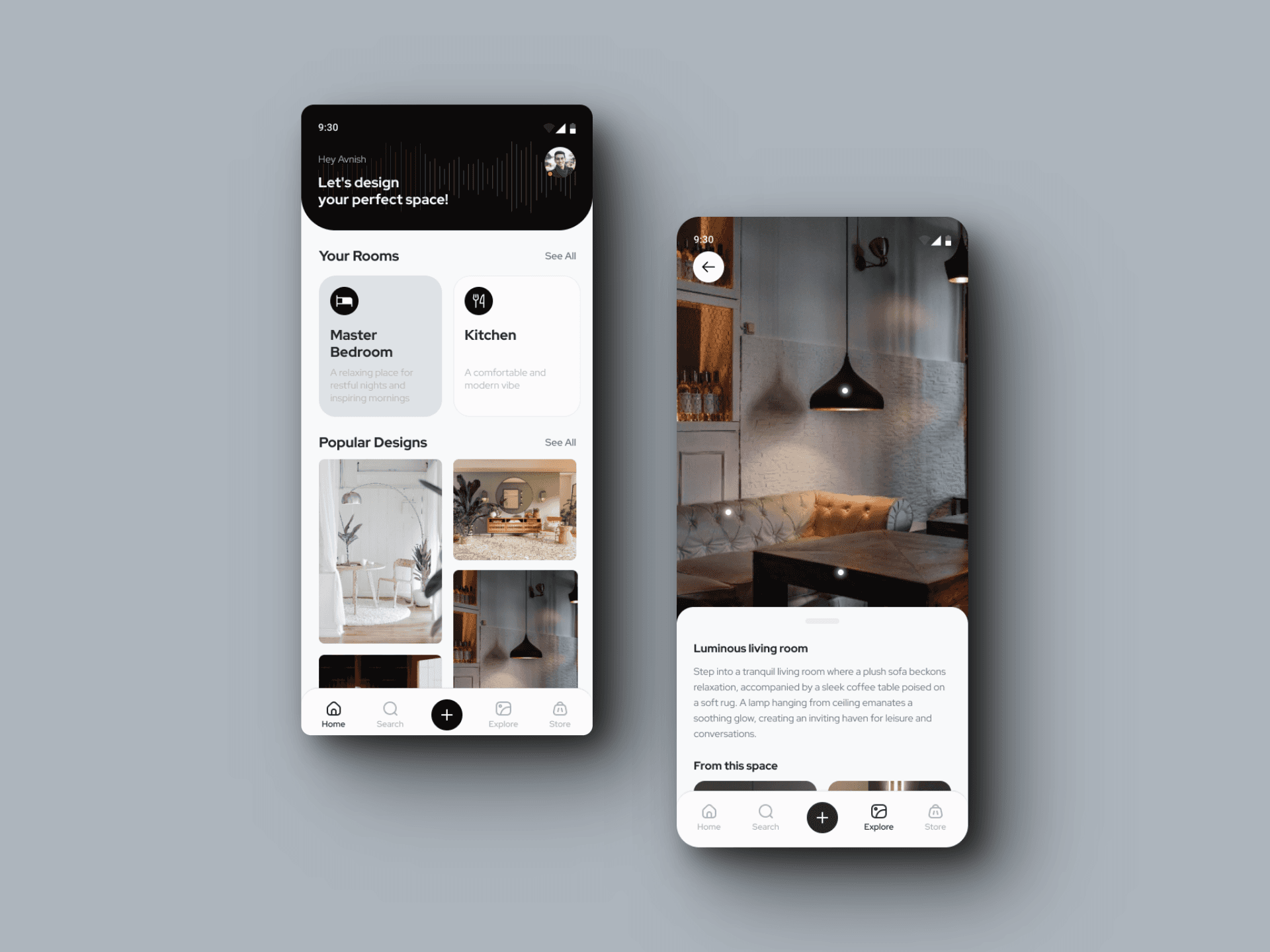
Project Background
From people wishing to have grand mansions to those wishing to have a small cozy yet home full of all amenities, one thing that has remained constant is the love and admiration for aesthetically pleasing interiors. It is perhaps the first thing that everyone notices once we venture into someone's home. How well a home's interior is designed defines the owner's aesthetic taste and often is central to setting a statement. So people take effort to take care of how their home looks and feels.
However, whenever people look to design their home, they get bombarded with tons of options that are available in the world and have difficulty in understanding which ones are going to look good together, if they are going to match with wall or flooring etc. Most of the time, people take these decision based on hunch. Sometimes it works and other times it does not. With our application, we want to help people in making interior design decisions by giving an interactive platform where they can design their own home with range of products.
The purpose of this project is to leverage augmented reality technology to empower users with design control and flexibility, allowing them to visualize their dream home before making any purchases.
Key Features
An AR-powered application that enables users to scan their rooms, explore design themes, and virtually test furniture before purchase—bridging the gap between imagination and reality.
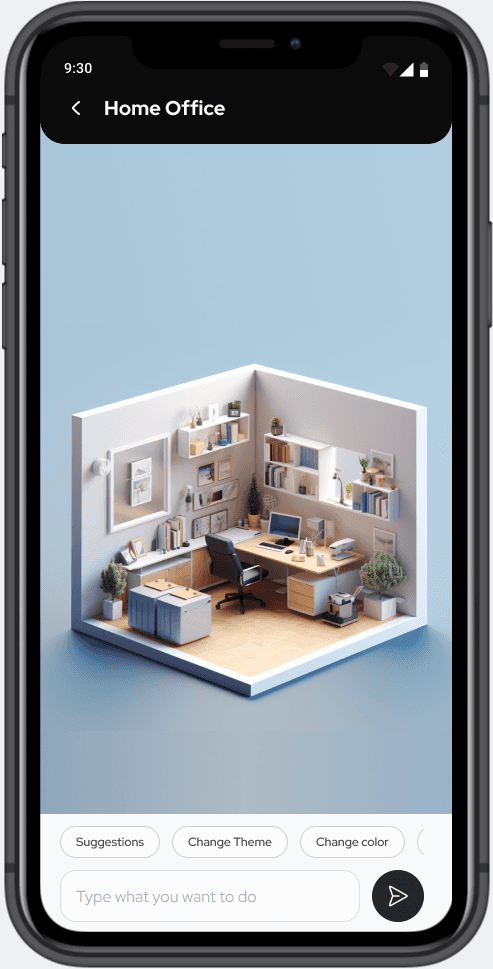
Duplicate your room onto your phone
Scan your room using your mobile phone and effortlessly capture not only the exact dimensions but also a comprehensive inventory of everything within your room.
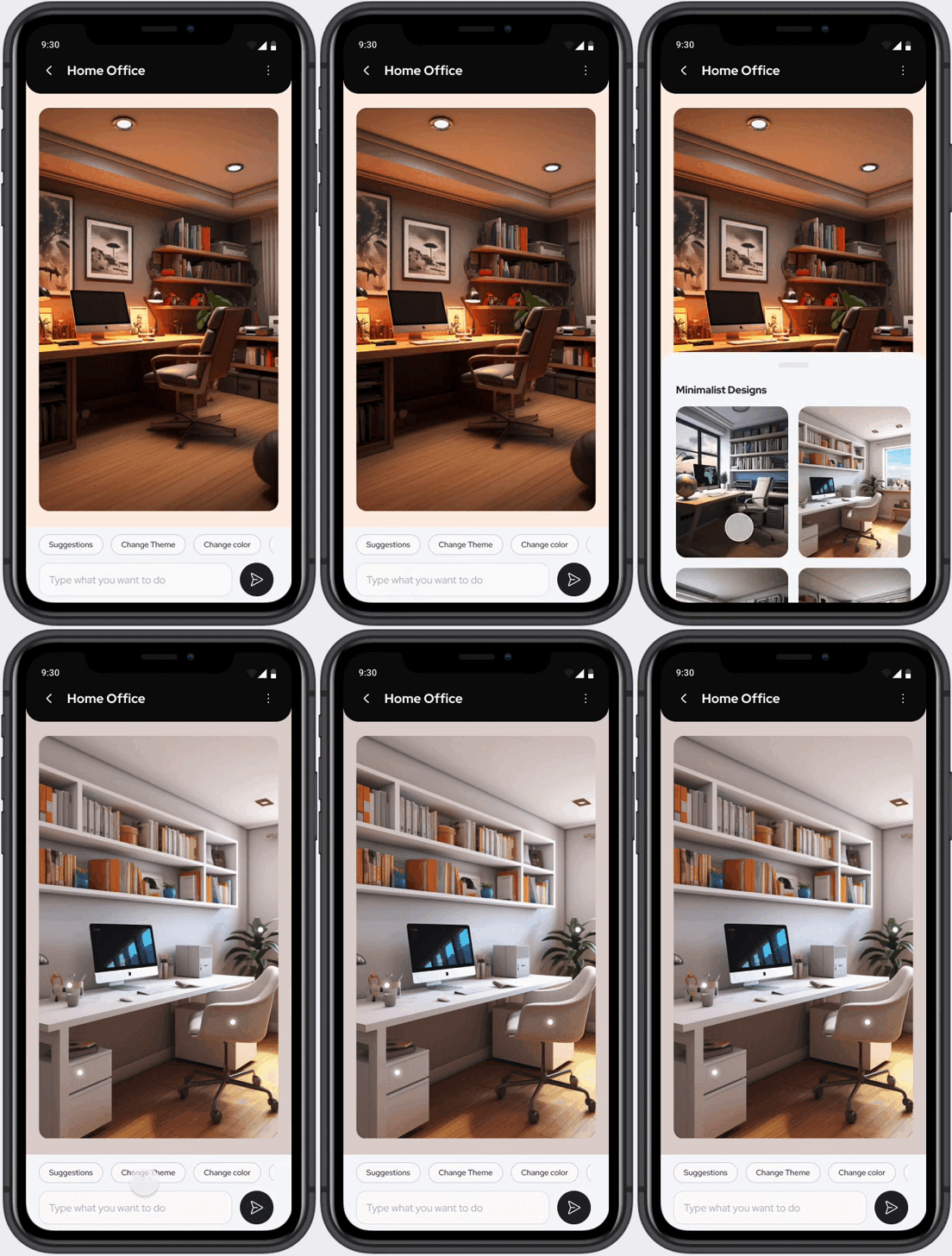
Explore a variety of recommended options
Experience the ease of transforming your room's appearance with just a few clicks, exploring various themes and colors effortlessly.
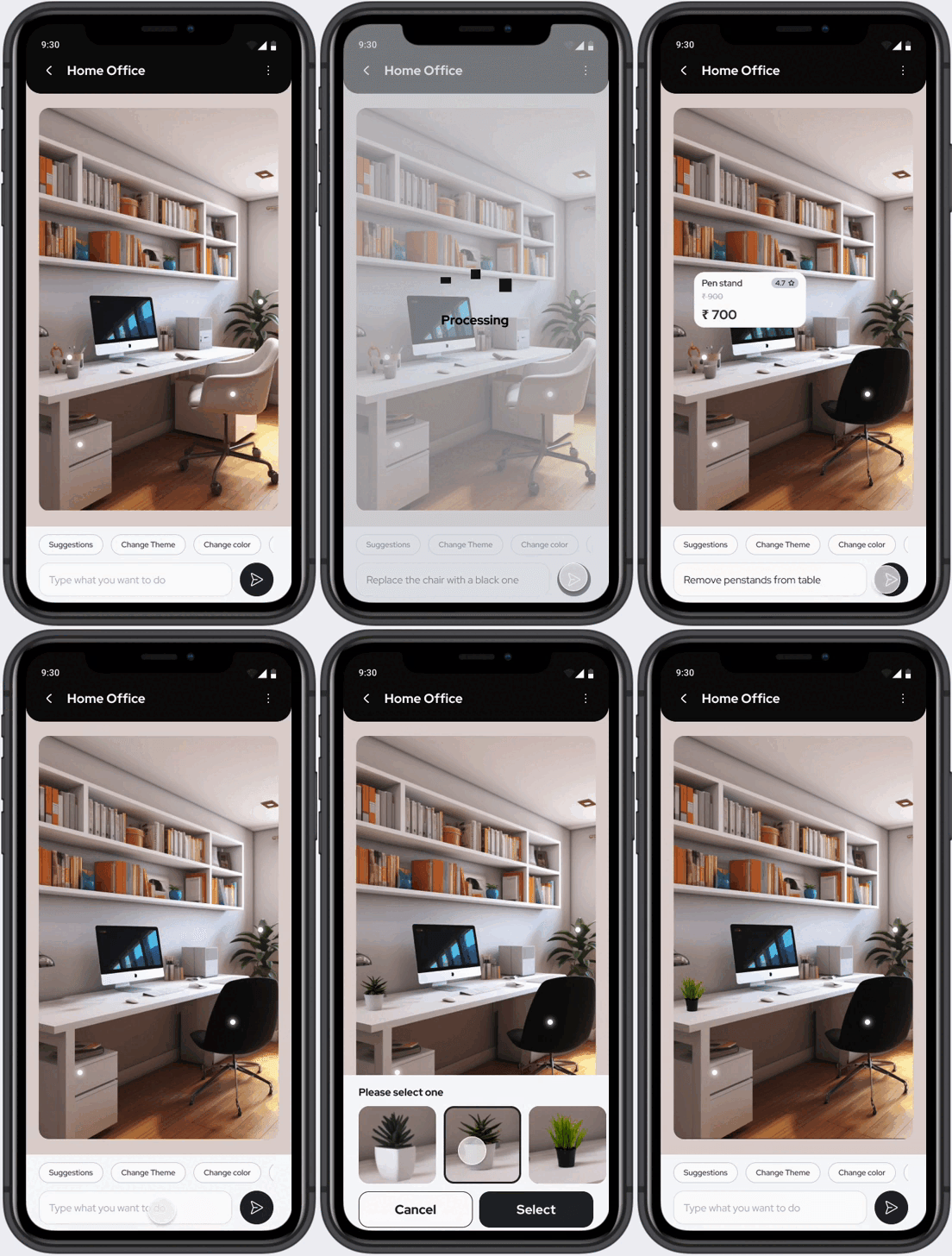
Test it out before making a furniture purchase.
Uncertain about how certain furniture, curtains, or flooring will fit into your home's aesthetic? No need to worry – you can test them out on your mobile device before committing to a purchase.
Secondary Research
To understand user needs and validate the AR approach, I conducted comprehensive research including secondary research, competitive analysis, and user interviews.
I identified Augmented Reality as a viable solution leveraging LiDAR sensor technology, which has been available since iPhone 12. LiDAR measures light pulse reflections to map spatial data, distance, and object movement—making it perfect for room scanning applications.
Key Findings
- LiDAR technology enables accurate room scanning and 3D model creation
- AR furniture visualization is gaining adoption in the home decor industry
- Users prefer trying before buying, especially for high-investment items like furniture
AR technology is easily accessible to users via mobile and is mature enough for real-world scenarios.
Competitive Analysis
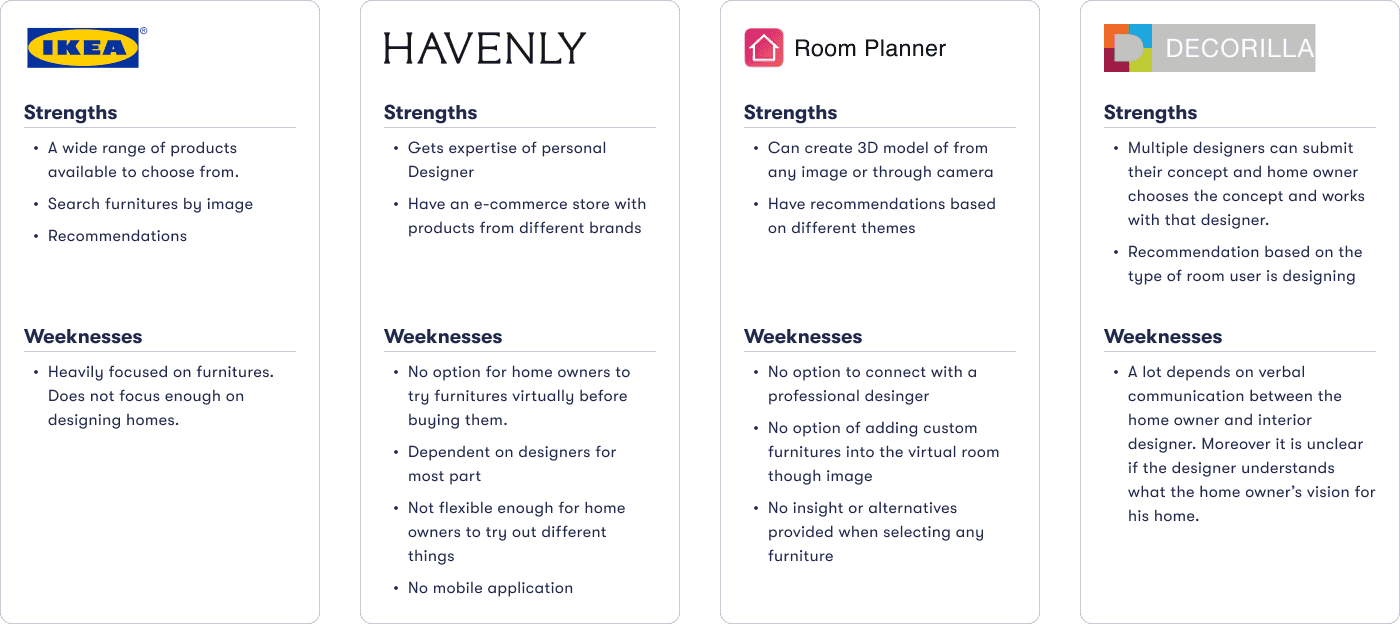
I analyzed existing AR applications in the home design space including Canvas.io, SiteScape, IKEA Place, and MagicPlan to understand their value propositions and design patterns.
User Interviews
I conducted user interviews with 4 participants to gain deeper insights into their home design challenges and how they currently approach decorating decisions.
Inspiration Sources
Pinterest, Instagram, and YouTube dominate design discovery for users looking to decorate their homes.
Communication Challenge
Images and videos often fail to convey complete design visions, making it hard to share ideas with others.
Expectation Gap
Users experience misalignment between their envisioned designs and the final implementations.
Decision Uncertainty
Users typically rely on hunches when making decisions about furniture, colors, and flooring compatibility.
Persona
Following the research phase, I organized the gathered information into personas, design challenges, feature sets, and task flows.
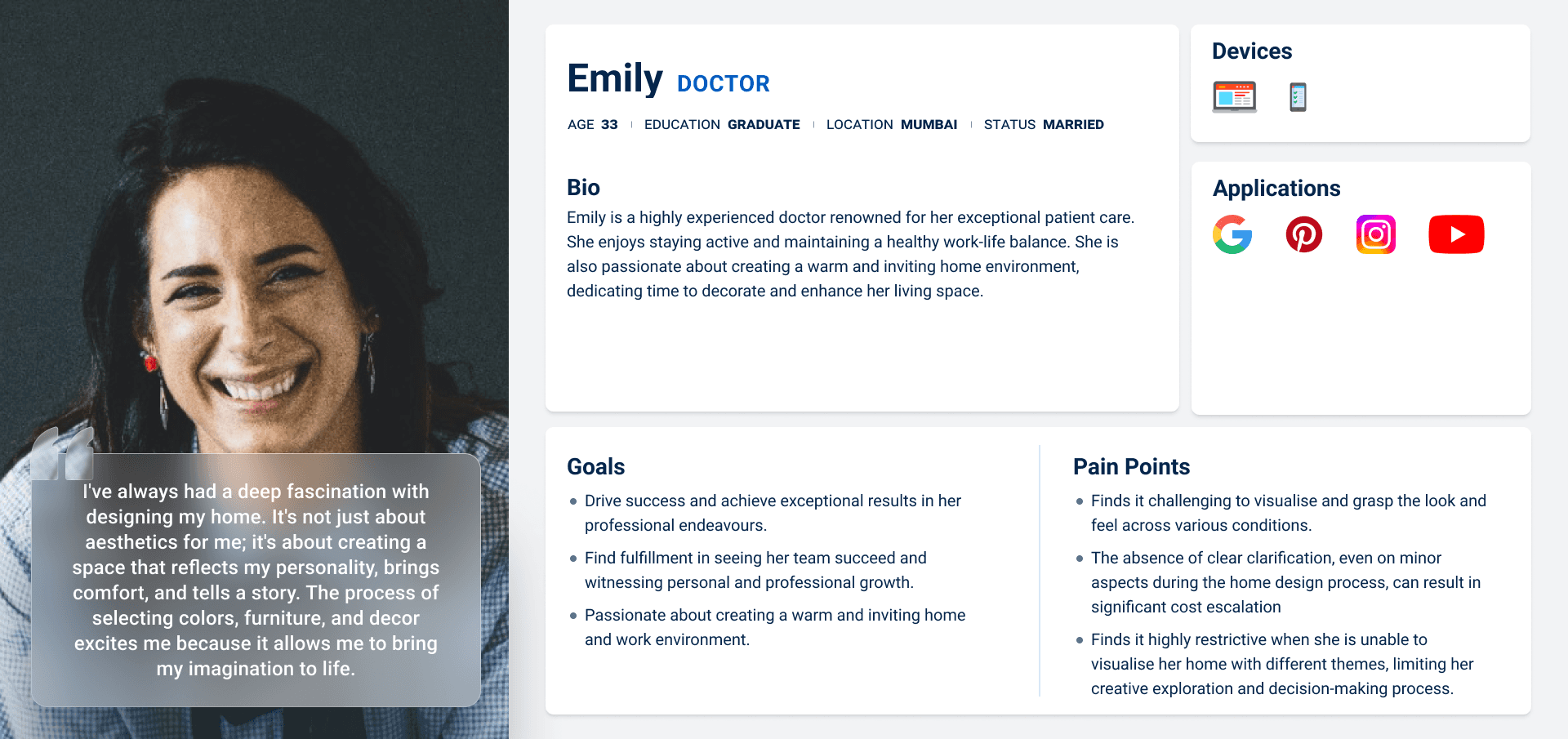
I developed a user persona that embodies the feedback and opinions shared by participants in my interviews. This persona was referenced throughout the design process to ensure solutions aligned with users' core needs.
Design Challenges
I translated research insights into "How Might We" statements to generate human-centered solutions through brainstorming.
How might we help homeowners to explore and visualise various design ideas for their homes in a virtual world, before implementing them in reality?
How might we help users to effectively communicate their design ideas for their homes clearly when sharing their vision with others?
How might we assist users by providing personalised color and furniture recommendations based on the design choices they have already made?
Feature Set (MVP)
Based on the research findings and design challenges, I defined the core features for the minimum viable product.
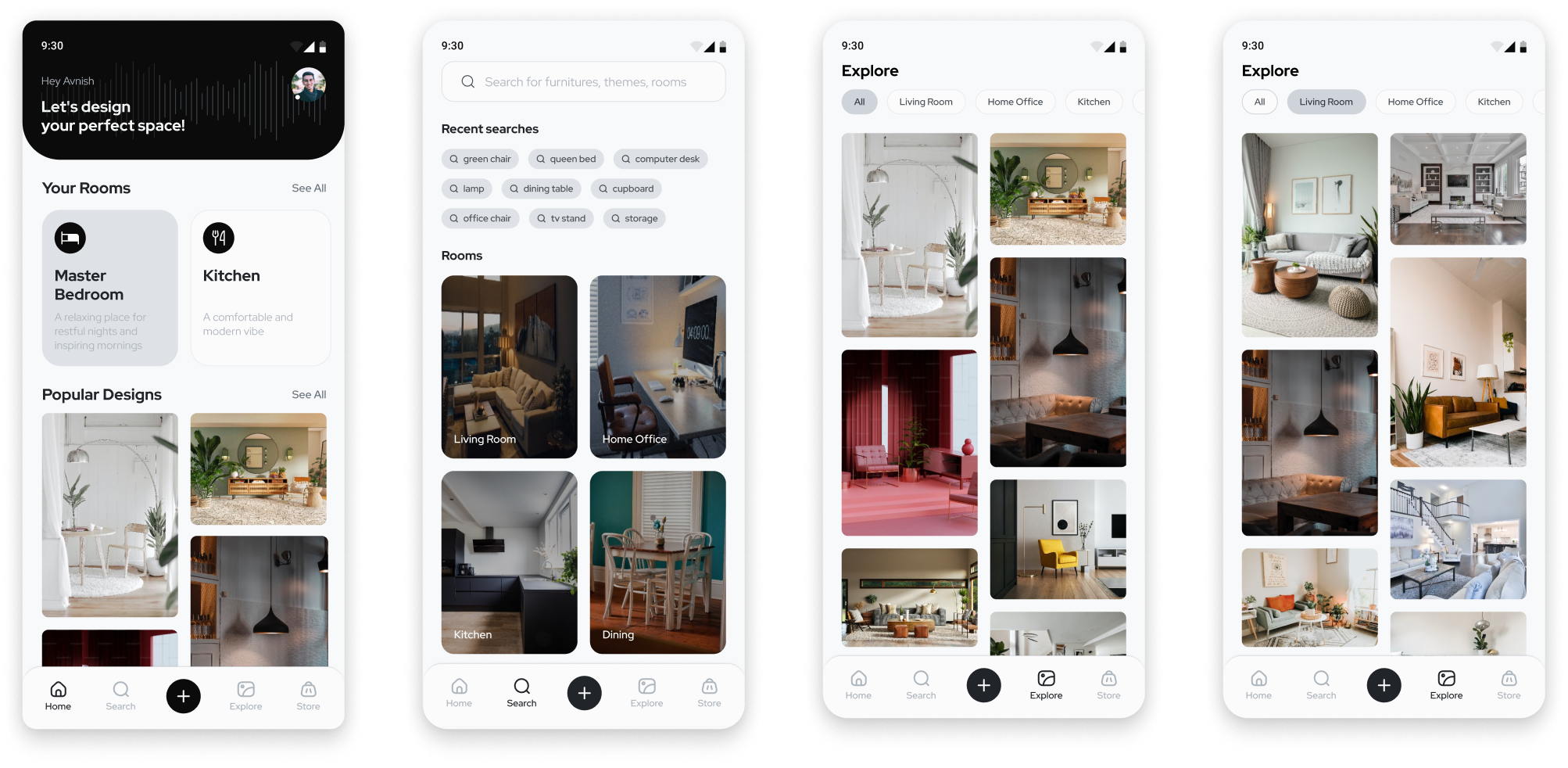
Home Screen
View and manage all your scanned rooms, sorted by activity.
Room Scanning
Capture exact dimensions and create 3D models using LiDAR sensors.
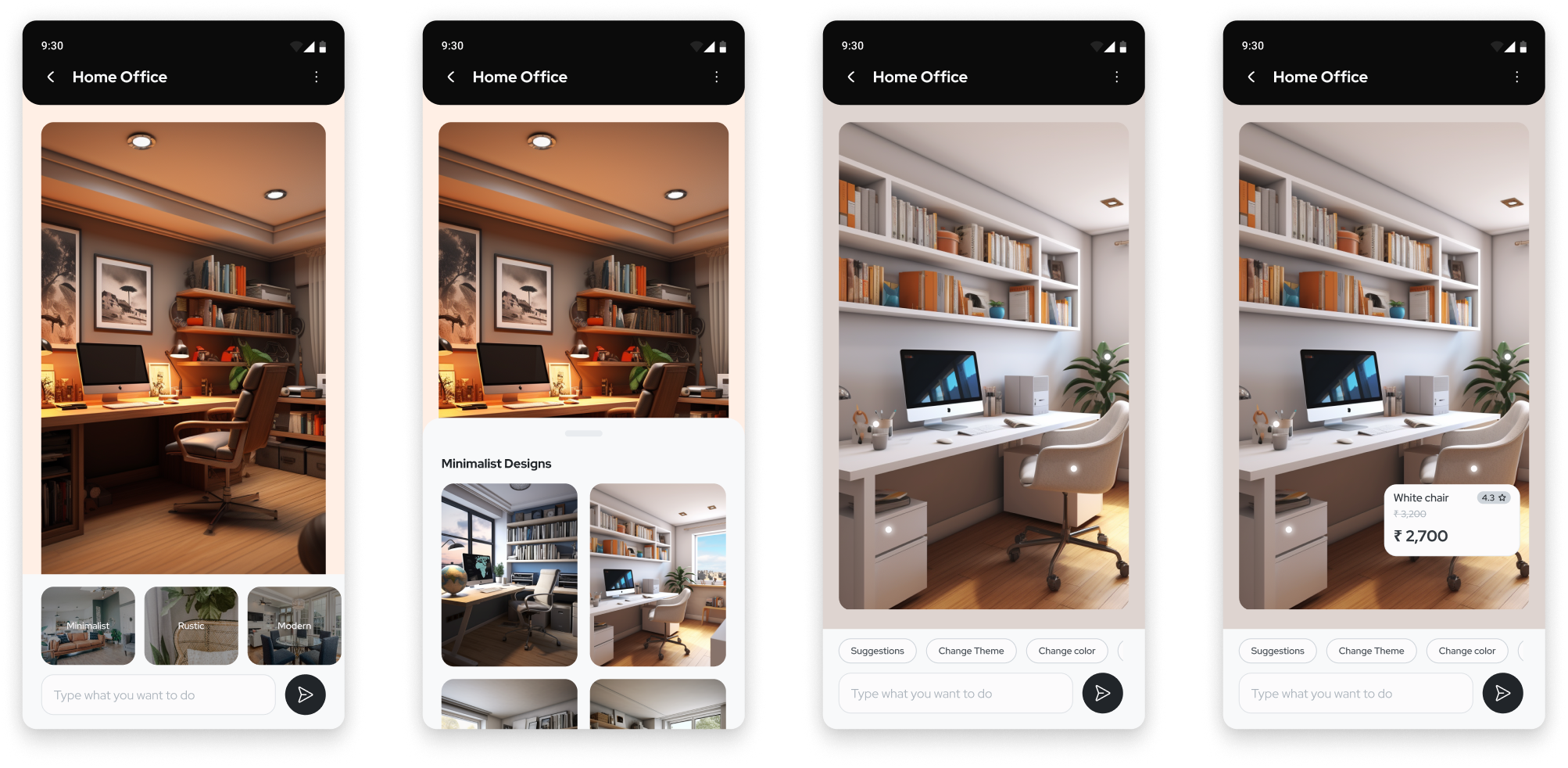
Design Exploration
Explore various themes and color variations in your space.
Item Management
Add, remove, or replace furniture items in your virtual room.
Theme Customization
Customize and apply different design themes to your space.
AI Assistant
Make voice-controlled changes and modifications to your design.
Task Flows
I documented user journeys for the core tasks: scanning new rooms, adding items, removing items, and replacing items.
Scan new room

Add item to room

Replace item in room

Remove item from room

Low Fidelity Wireframes
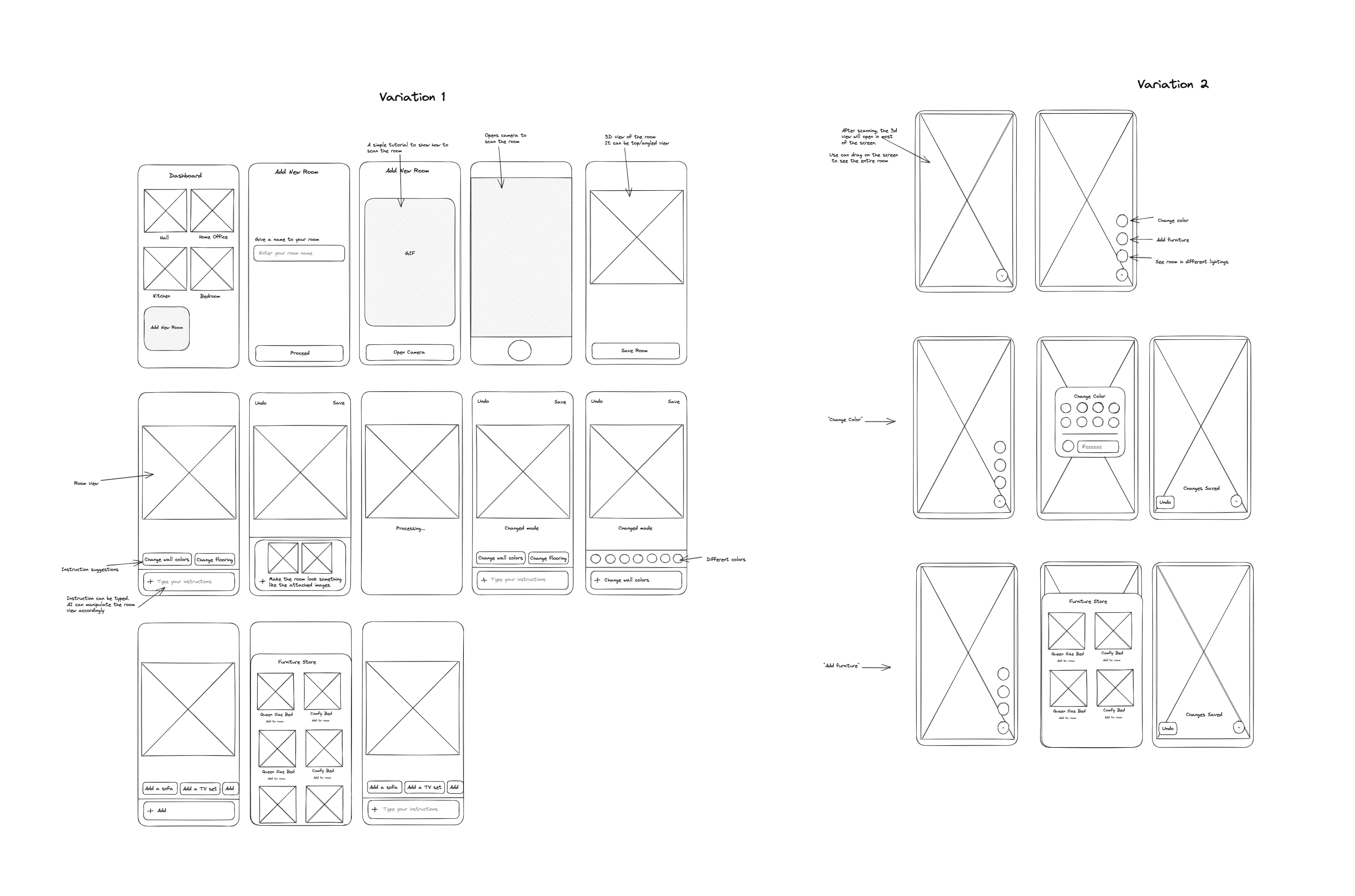
After completing the research and define phases, I initiated the development of visual solutions following a structured design process.
I began with initial layout concepts, exploring different directional approaches before refinement.
Mid Fidelity Wireframes
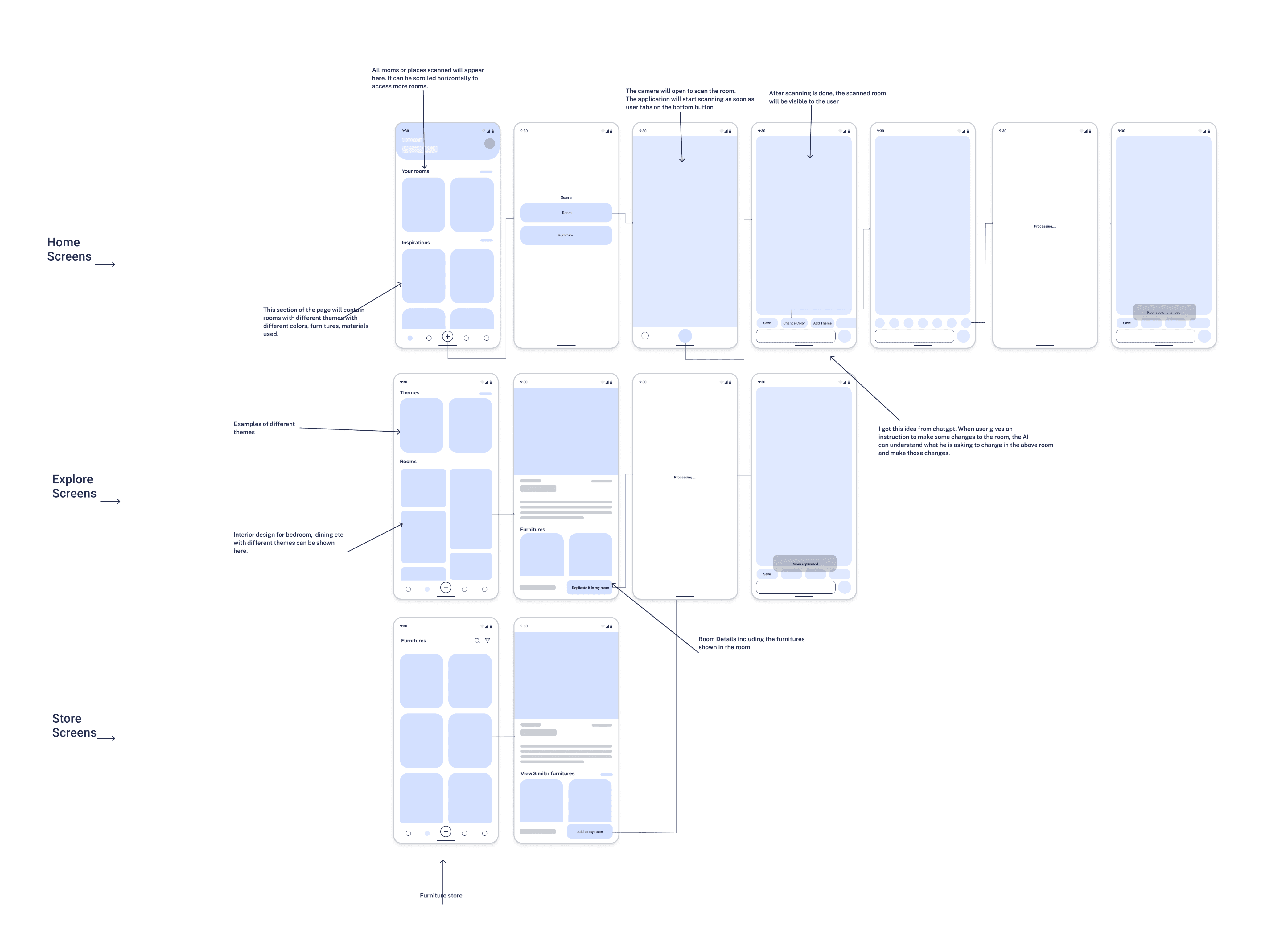
Refined layouts with improved spatial hierarchy and interaction clarity.
Branding & Visual System
I established a cohesive visual system built around a Black & White color scheme to convey elegance and simplicity. This includes color palette, typography, and component library.
Color Palette
Primary
Black
Secondary
White
Success
Green
Warning
Orange
Danger
Red
Typography
Font Family
Red Hat Display
Heading 1
32px / 40px line height
Body Text
16px / 20px line height
High Fidelity Mocks
Polished screens applying the established design system with an inclusive, human-centered aesthetic.
Usability Testing
I conducted usability tests with 4 participants over a 5-day period with in-person moderation. Users were asked to complete tasks while narrating their thoughts and initial impressions.
Test Objectives
- Test overall flow and navigation of the proposed design
- Verify task completion for core user flows
- Identify mis-clicks and interaction issues
Test Results
- All participants navigated successfully
- 100 % task completion rate achieved
- Mis-clicks during remove/replace operations
Design Iterations
Priority revisions were made based on usability test feedback. The changes implemented are as follows:
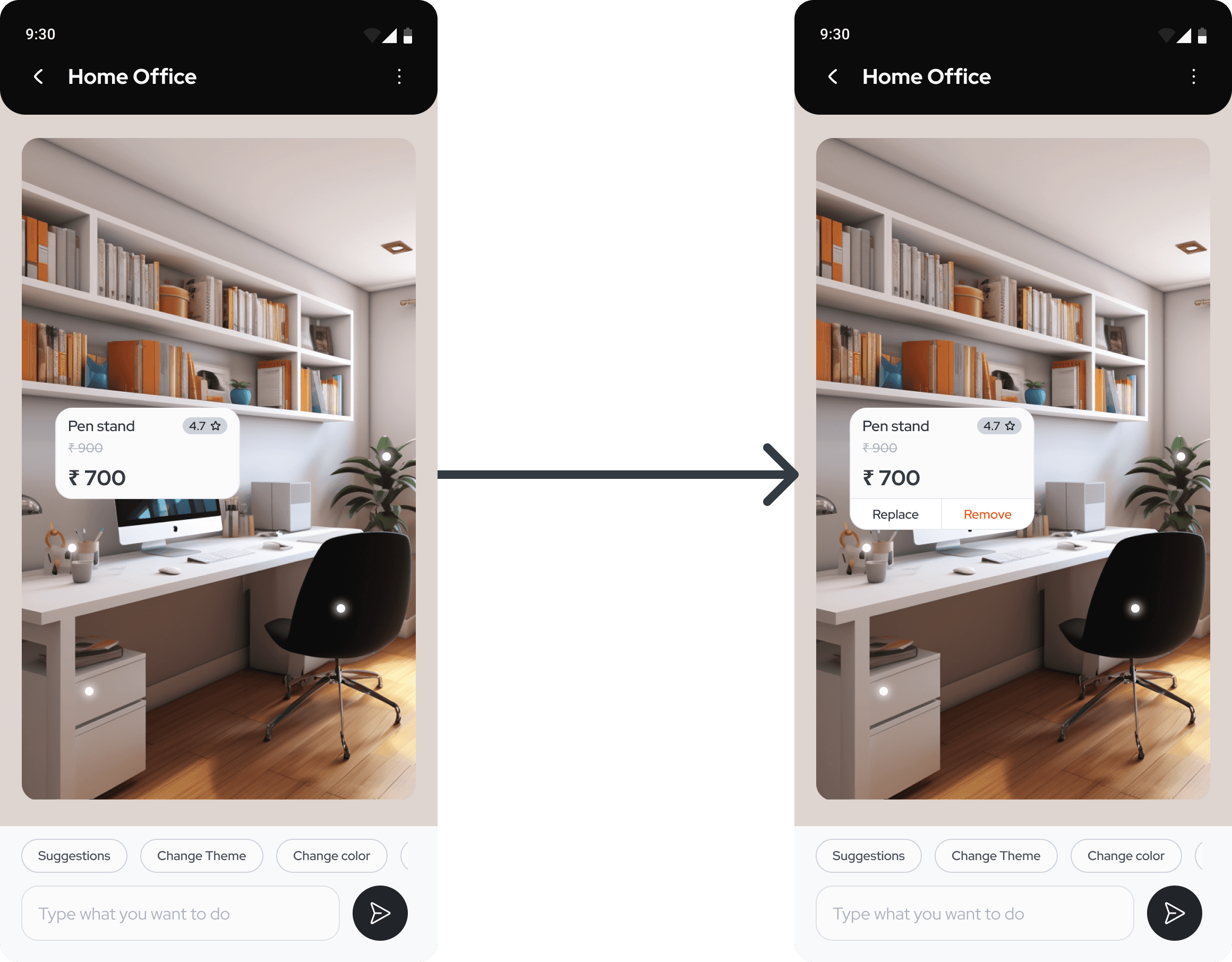
Handling Mis-clicks
Whenever task is to remove an item from the virtual room, they first tend to click on the item itself on the screen. Participants are expecting to see "Replace" and "Remove" in the same popup alongside item details. Added option to remove and replace from the same popup.
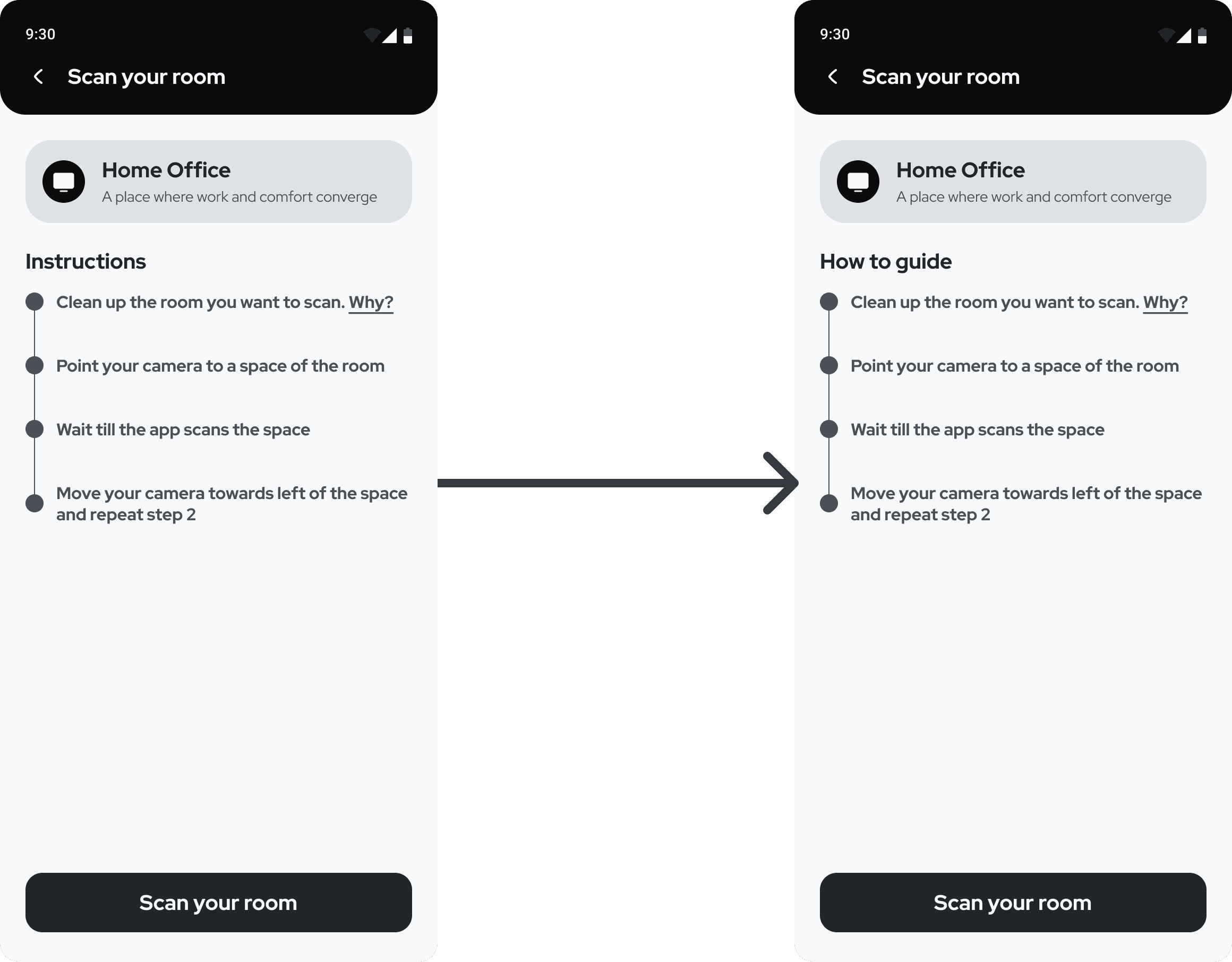
The title "Instruction" lacks clarity
Several participants raised concerns about the lack of clarity on this page. They were interpreting 'Instructions' as Dos and Don'ts. So I have updated the text to address this issue.
Reflection
This project provided exposure to emerging technologies including AR research, iPhone LiDAR capabilities, and generative design tools like Midjourney and Adobe Photoshop. It emphasized the value of systematic processes and iterative user feedback.
Future Goals
- Expand user testing pool for continued validation
- Enhance UI and interaction design to elevate user experience
- Refine product through real-world usage data